- Install the EtherCat driver on your Debian System: This would be this installer “dewetron-ethercat_2.3.0~release-bookworm_amd64.deb”
Afterwards the data exchange via EtherCat should work in OXYGEN 7.7.
As a reminder do not run the RT Power App and OXYGEN in parallel.
Here are the steps after the installation of the EtherCat drivers to check if the EtherCAT plugin in OXYGEN is working:
- Check in OXYGEN if the Plugin is activated
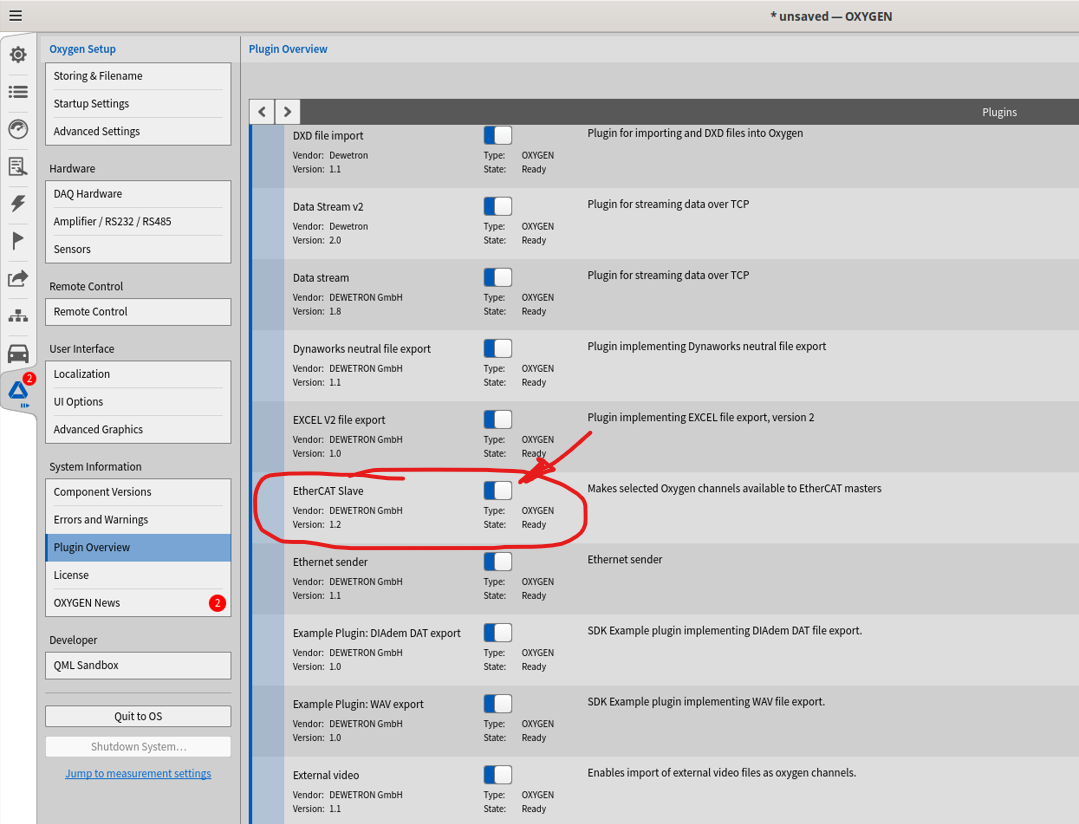
- If the Plugin is active navigate to your OXYGEN directory, which should be in your home directory -> Dewetron -> Oxygen
Make sure that the “ethercat_slave_channels.txt” file is present, and it contains at least 1 channel from your OXYGEN Setup.
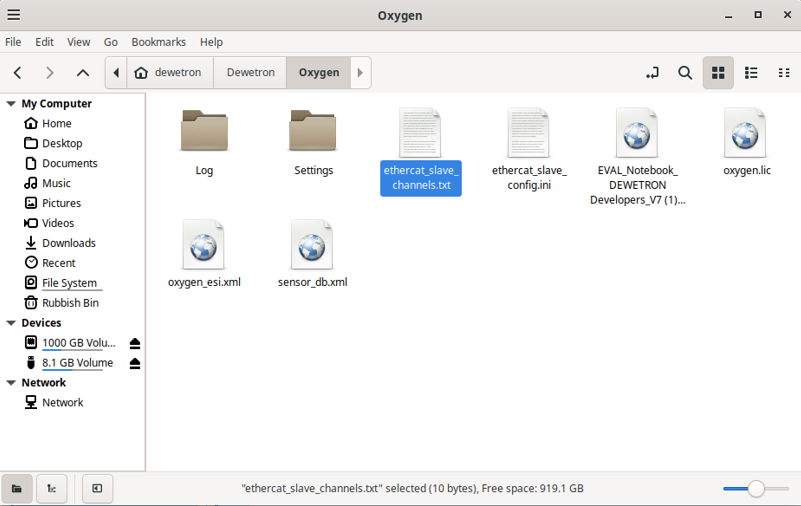
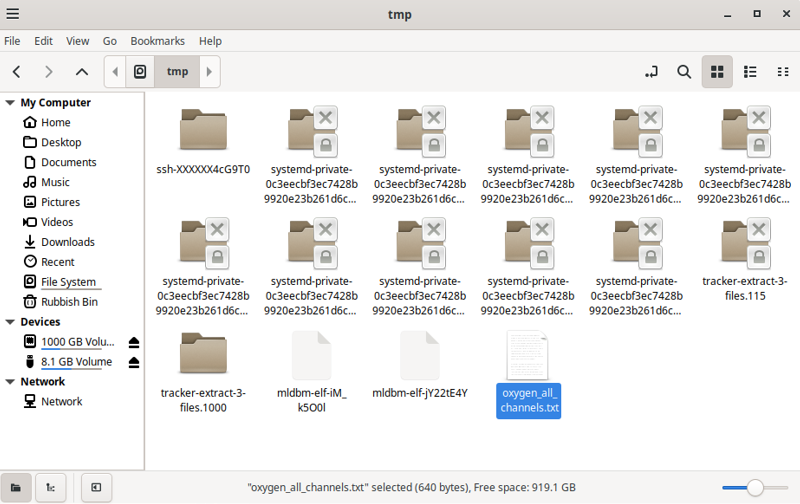
You can copy the name of the channels you want to transmit directly from the OXYGEN channellist or you can use the “oxygen_all_channels.txt”, which contains all channels from your OXYGEN setup and which will be generated automatically when you load your setup in OXYGEN.
You should find the file under “/tmp” like in following screenshot.
- If you have created the “ethercat_slave_channels.txt” with at least 1 existing channel from your OXYGEN setup, please start or restart OXYGEN.
Here is a screenshot from my example, where I transmitted only a formula from my OXYGEN setup:

- Connect your EtherCat Reciever with the attached EtherCat module and you should be able to receive data.
War dieser Artikel hilfreich?
Das ist großartig!
Vielen Dank für das Feedback
Leider konnten wir nicht helfen
Vielen Dank für das Feedback
Feedback gesendet
Wir wissen Ihre Bemühungen zu schätzen und werden versuchen, den Artikel zu korrigieren